
Platform › Products CareSurvey™

    Two surveys, one place.

    Staff about their work, residents and families about the care. Anonymous to the home, with an AI report and an action plan you own.

    Build a survey from a template, copy last year's or describe what you want to know and AI drafts the questions. Share it as a QR poster or a scheduled email invitation. AI scores the sentiment and writes the report, and closing the survey opens the plan that records what you did about it.

    InCareHRPlatform£89 a month per home
    Staff survey · September
    44 of 52 responses
    Report ready
    Family survey
    Dining: family 0.6 below residents21 residents · 14 relativesRed flag

    01 · Ask

    Two surveys, one place.

    Staff are asked about their work and residents and their families are asked about the care, from the same screen and on the same footing. Responses are anonymous: the home never sees who said what.

    Staff, Residents and FamiliesThe staff surveys and the resident and family surveys are listed side by side, each with its status and the responses counted so far.
    The Survey People Actually SeeOne question at a time, a rating people can answer in a second, and the closing date on the card.
    A Relative Can Answer AlongsideA relative says how they are related to the resident, so the report can separate what residents said from what their families said.
    Residents and Their FamiliesThe resident and family survey opens on a tablet or a phone, and asks who is answering before it asks about the care.
    02 · Create with AI

    Start from a template, copy last year's, or describe what you want to know.

    A survey is started from scratch, copied from one you have already run, taken from the templates, or drafted by AI from a description in your own words. Nothing is sent until you have read it.

    Four Ways to StartStart from scratch, copy an existing survey, browse the templates, or generate one with AI.
    AI Drafts the QuestionsDescribe what you want to know and AI drafts the questions. They stay yours to keep, reword or delete.

    Ratings, Choices and CommentsRating faces, star, thumb or heart scales, multiple choice and free-text comments, in whatever mix suits the question.
    Keep What FitsEach drafted question can be kept, changed or dropped before the survey is opened.
    03 · Share

    A poster in the lounge, or an invitation in the inbox.

    Every survey has one shared link, its own QR code and an A5 poster in five styles for the lounge and the staff room. Email invitations are scheduled from your staff list or a pasted list of family addresses.

    The QR PosterPrint the A5 poster, put it where people already stand, and the survey is open to anyone who scans it.
    One Link, One QR Code, Five PostersThe link, the QR code and the poster all open the same survey, so there is one set of responses however people arrived.
    Invitations on a ScheduleInvitations go out on the date you set, and a reminder goes only to the people who started the survey and did not finish it.
    Sent From Your Staff ListPick the people from your own staff list, or paste the family addresses, and watch each one move from sent to started to completed.
    04 · Answer

    Staff answer from the app, residents and relatives from the poster.

    Staff open the survey in their phone's browser from the app's Needs you row. Residents and relatives scan the poster. It is the same survey and the same page, and no name is ever shown against an answer.

    From the App's Needs You RowThe survey sits with the rest of what needs doing, and opens in the phone's browser in one tap.
    Needs You, on the PhoneSubmit survey sits beside the policy to read and the hours to confirm, with the closing date beneath it.
    No Name Against an AnswerThe responses list shows the role and the status. The home can see that a night carer answered, never which one.
    Responses as They LandEvery response arrives against its role, so you can see who has answered and who has not been reached.
    Enhance With AIWhen somebody has typed the gist of it and cannot find the words, Enhance with AI tidies what they wrote. Nothing is submitted until they submit it.
    Their Words, TidiedThe only AI on the answering side. It rewrites what the person typed; it never writes an answer for them.
    05 · The report

    Close the survey, and AI writes the report.

    Sentiment is scored on every answer as it lands. At close, the report gives the summary, six categories with their scores, where leadership and frontline differ, the quotations behind them and what to do next.

    Sentiment, Scored as They LandEach answer is scored as it arrives, so the shape of the survey is visible before it closes.
    Green, Amber and RedThe sentiment of every answer is scored, and the responses tab carries the count against the number invited.
    Six Categories, ScoredLeadership and communication, teamwork and culture, growth and development, recognition and reward, wellbeing and support, and overall engagement.
    The Report, Written at CloseClosing the survey writes the report: the summary, the six categories and the score against each one.
    Where Leadership and Frontline DifferThe same questions, split by who answered them. A category where the managers are content and the floor is not is the one worth reading first.
    The Quote and the RecommendationThe comments that matter are quoted in the report, with a recommendation under each one.
    06 · Residents & families

    Residents and families side by side, and last year beside this year.

    The resident and family report scores each topic twice, once by the residents and once by their relatives, and flags the topics where the two disagree. The comparison sets this survey against the previous one in the same home.

    Resident and Family, Side by SideDignity, dining, activities and family communication, each with the resident score and the family score against it.
    Red Flags Up FrontWhere families score a topic well below the residents, the report says so before you have to look for it.
    Improved, Consistent, DeclinedEvery category from the last survey is marked improved, consistent or declined, with the movement beside it.
    Compared With Last YearThis survey is compared with the previous one in the same home, so you can see needs move rather than only this year's numbers.
    07 · The action plan

    An action plan you own.

    Closing a survey opens the plan. Every concern becomes a line — You said, We said, We did, This happened, by whom and by when — and every line is typed by a person, not generated.

    Every Concern Becomes a LineThe plan arrives with the survey's concerns already in front of you, and you write what you said and what you did.
    You Said · We Said · We DidSix columns on one row: what was said, what you answered, what you changed, what happened next, who owns it and the date it is due.
    A Reminder When It SlipsThe owner is emailed each week while an outcome is past its target date, so the plan does not quietly stop.
    An Owner, a Date and a PDFEach line carries the person who owns it and the date it is due, and the whole plan downloads as a PDF.
    08 · Pulse

    Between surveys, one small question.

    Pulse asks a single question at the clock-out terminal or in the staff app, daily or weekly, one question per period in turn. It is reported by role, over time, and as red flags for managers.

    Asked at Clock-OutThe question appears at the terminal when somebody comes to clock out, before the clock-out button. Skipping it is an answer too.
    One Question, One TapOne short question a period, asked once, at the terminal or in the app's Needs you row.
    Role Analysis, Trend and Red FlagsThe pulse report reads by role and over time, and raises a red flag when the answers call for one.
    The Mood Between SurveysA week of answers is a trend the manager can act on long before the next survey opens.
    09 · Where it lives

    On its own, in CareHR and in the Platform.

    CareSurvey is £89 a month per home on its own, with every staff member included, and it comes with CareHR and with the People Management Platform at no extra cost.

    Three Ways to Have ItTake CareSurvey on its own at one flat price per home, or have it inside CareHR or the whole platform.
    One Staff Record, One AppSurveys, pulse and the action plan sit on the same staff record and the same app as the rota, clock-in, leave and HR.
    See CareHR

    The film · 2:47

    This is a survey.

    A short film explaining how the two surveys are built and shared, what the report says when they close, and what the action plan records. Captions are on the film.

    85%
    reduction in shift gapswithin six weeks
    2x
    increase in staff sentimentpositive mood scores
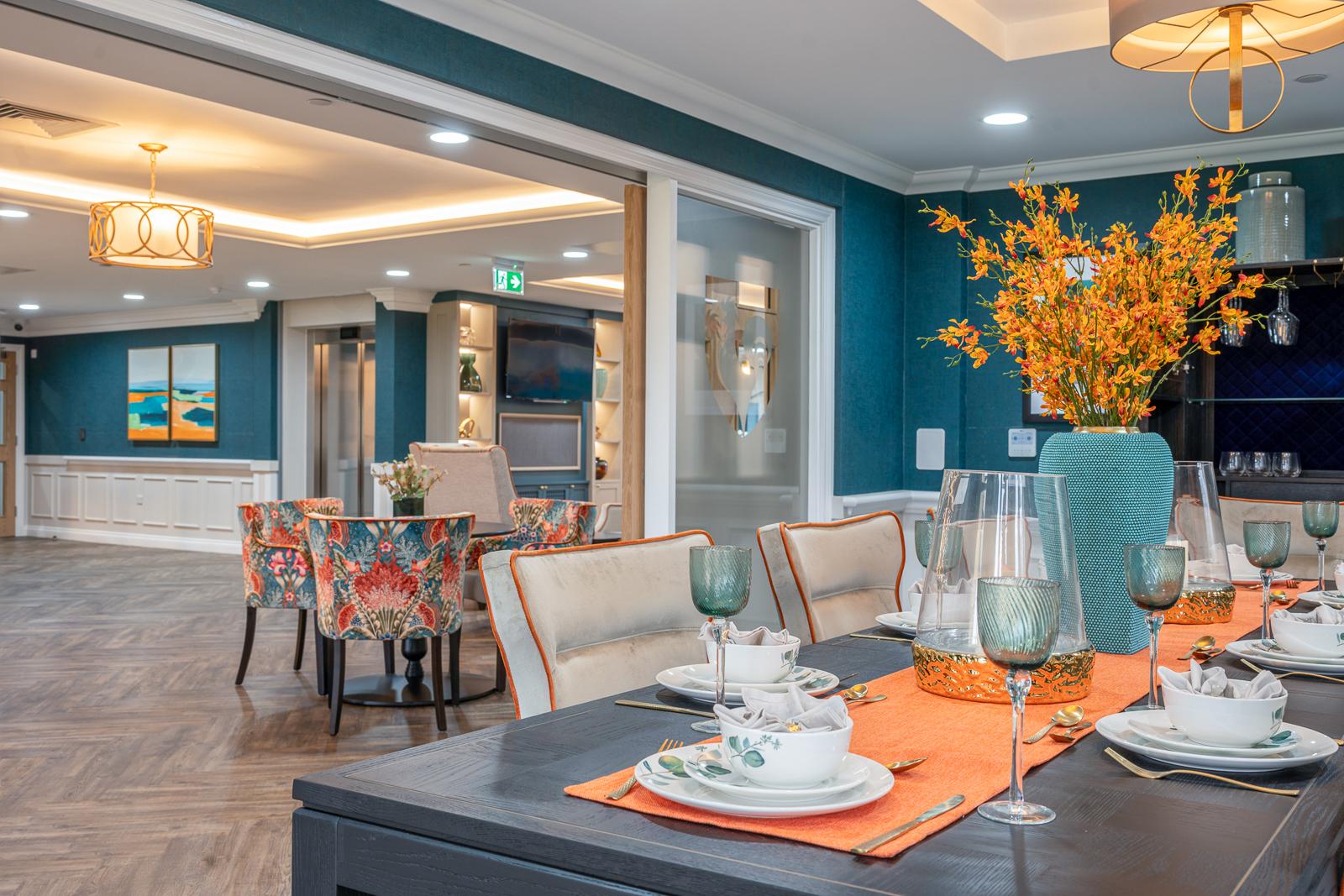
    The dining room at Esmere Gardens

    Moreton-in-Marsh, Gloucestershire70 residentsResidential, nursing and respite

    • Staff surveysResponses are anonymous and the home never sees who said what. Start from a template, copy last year's survey, or describe what you need and AI drafts the questions.
    • Resident & family surveysAsk residents and their families about the care provided, with the results reported separately for residents and for families.
    • QR distributionEvery survey has its own link, a QR code and an A5 poster in five styles for the lounge and the staff room.
    • Email invitationsScheduled and sent from your staff list or a pasted list, with reminders to anyone who started a survey and did not finish it.
    • AI reportSentiment on every answer across six categories, where leadership and frontline views differ, the supporting quotations and the recommendations, with a comparison against last year.
    • Action planBuild the plan in the You said · We said · We did · This happened format, with owners, target dates, reminders and a PDF.
    • PulseAsk one short question at the clock-out terminal or in the app, daily or weekly, with analysis by role, trends and red flags for managers.
    • ExportsThe report can be printed to PDF and the responses exported to CSV.
    • AI credits£10 of credits each month, with no rollover, and you can top up at any time.
    • Staff appOn iOS and Android at no extra cost. Surveys and the pulse question reach every staff member through the app's Needs you row.
    • Training and support includedWe set up your homes, import your staff records and train your managers live. A UK team on in-app chat and email.
    CareSurvey™
    £89 a month per home

    Available on its own, and included in CareHR and the Platform.

    Or CareHR for £6 per bed. CareSurvey, leave and CareKudos are included in CareHR, and in the whole platform at £10. See pricing

    Last reviewed September 2026 · Based on publicly available documentation and pricing.

    Are the answers really anonymous?

    Responses are anonymous to the home: the home never sees who said what. The responses list shows the role that answered and its status, and nothing else. Respondent details are held by Care Centre for platform tracking and reporting only, and are not shared with the care home. The same applies to pulse.

    How do people receive the survey?

    Every survey has one shared link, its own QR code and an A5 poster in five styles for the lounge and the staff room. Email invitations are scheduled from your staff list or a pasted list of family addresses, and a reminder goes only to people who started the survey and did not finish it. Staff open the survey in their phone’s browser from the app’s Needs you row. Between surveys, pulse asks one short question at the clock-out terminal or in the app.

    Do we have to write the questions ourselves?

    No. Start from scratch, copy a survey you have already run, choose one of the templates, or describe what you want to know and AI drafts the questions. Every drafted question can be kept, reworded or deleted before the survey opens, and questions can be ratings, scales, multiple choice or free-text comments.
    What does the AI report give us?

    Sentiment is scored on every answer as it lands, and closing the survey writes the report: the summary, six categories with their scores, where leadership and frontline answers differ, the quotations behind them and the recommendations. Resident surveys are reported with resident and family answers side by side, and red flags are shown first. The report can be compared with the previous survey in the same home.

    Does AI write the action plan?

    No. Closing a survey opens the plan and every line is typed by a person: You said, We said, We did, This happened, by whom and by when. The owner is emailed each week while an outcome is past its target date, and the whole plan downloads as a PDF. Responses export as CSV and the report prints to PDF.

    What does CareSurvey cost, and is it included in anything?

    CareSurvey is £89 a month per home, with every staff member included, on a monthly rolling contract with no setup fee, and £10 of AI credits each month with no rollover that you can top up at any time. It is also included in CareHR at £6 per bed per month and in the People Management Platform at £10 per bed per month.

    Your standards, in every home.

    Book a demonstration to see CareSurvey working with your own homes and teams.

    See pricing