Platform People Management Platform

    Your standards, in every home.

    The people management platform built only for care homes and care home groups.

    The platform is built around the way a care home operates — the rota planned by role, the day organised by shift, the team working from their own phones — and around the way a group operates: standards are set once for the company, and each home applies them with its own settings. Rota and budgets, time and attendance, timesheets and payroll, leave, HR onboarding and compliance, policies, recognition and communication, chat, surveys and pulse, and maintenance sit on one staff record, one staff app and one login.

    InCareRotaTime & AttendanceCareHRCareKudosCareChatCareSurveyCareMaintenance£10 per bed per month
    Willowbridge Care Group
    6 homes · one standard
    Set once · applies to every home
    Leave approved
    Danny OkiroAnnual leave · Fri 25 Sep · 1 dayApproved

    01 · Set once

    A standard set once, and applied in every home.

    A group is one company and many homes, and every home has its own shape, size and way of working. Settings are made once for the company and tuned per home on the Location tab: role levels and how many of each role can be off at once, day settings, pay rates per role and wage visibility, the clock-in radius and the terminals, and claim, swap and drop rules with their notice periods.

    One Set of Rules for the CompanyThe rota, leave and attendance settings are made once for the company, so every home starts from the same rules rather than from its own.
    Set Once for the CompanyWhether staff can claim open shifts, whether shifts need acknowledgement, the minimum notice on a drop and whether swaps need approval.
    Tuned for Each HomeThe clock-in range, the pay frequency and how many of each role may be on leave at once are set on the home's own Location tab.
    Every Home on the Same StandardOne company standard, applied in each home with that home's own settings, so a group of six runs one way rather than six.
    02 · One Monday

    One login carries the day, from the rota to the pulse question.

    Rota and budgets, time and attendance, timesheets and payroll, leave, HR onboarding and compliance, policies, recognition and communication, chat, surveys and pulse, and maintenance are on one staff record, in one staff app, from one manager login. A new starter is onboarded, compliant, on the rota, in the chat and in the next pulse without a second system.

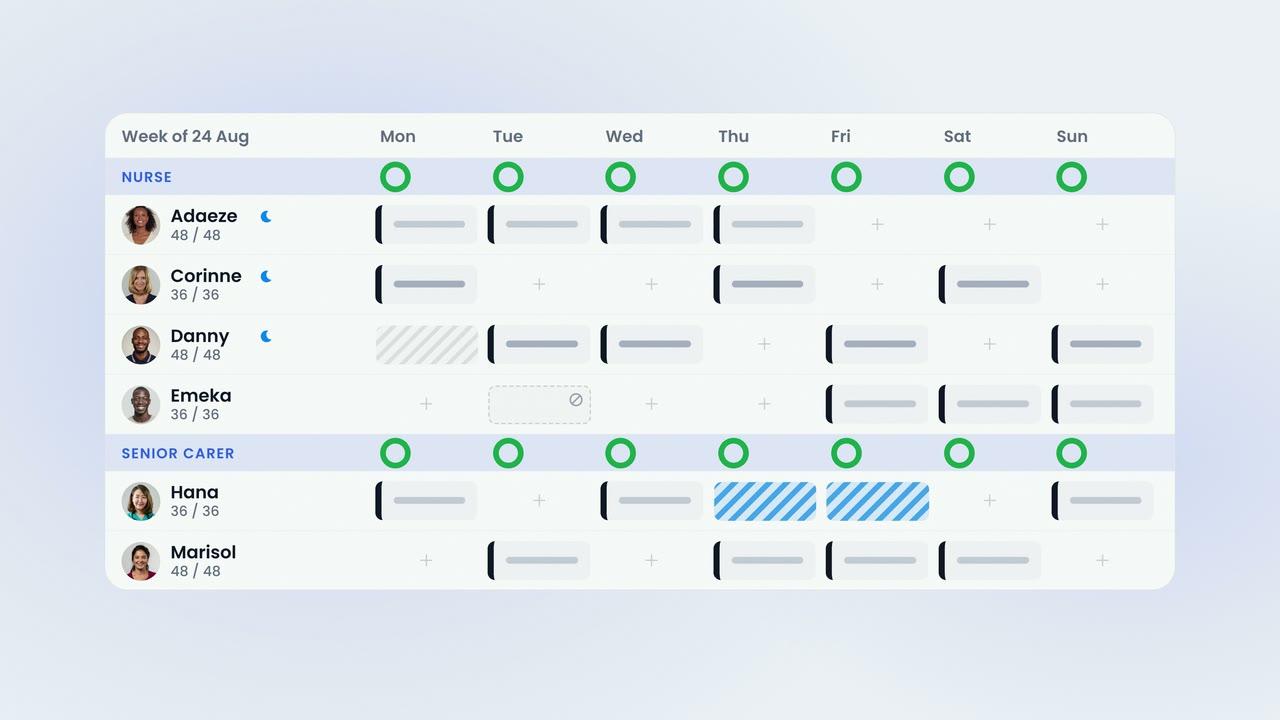
    Planned by Care RoleThe week is built by role — nurses, senior carers and carers — against an hours budget set for each role, each day and each home.
    Budgets That HoldWith Restrict By Budget enabled, a shift that would take a role past its agreed hours is refused rather than flagged.
    One Approval, Three PlacesA single approval updates the rota, the timesheet and payroll, so the same day is never entered twice.
    Leave Requested From the PhoneStaff request leave from their own phones against a live balance, and it is approved on the same screen as the week it affects.
    Every Clock-In Writes the TimesheetStaff clock in with a six-digit PIN at any Android tablet on the wall, or from their own phone inside the radius the home sets.
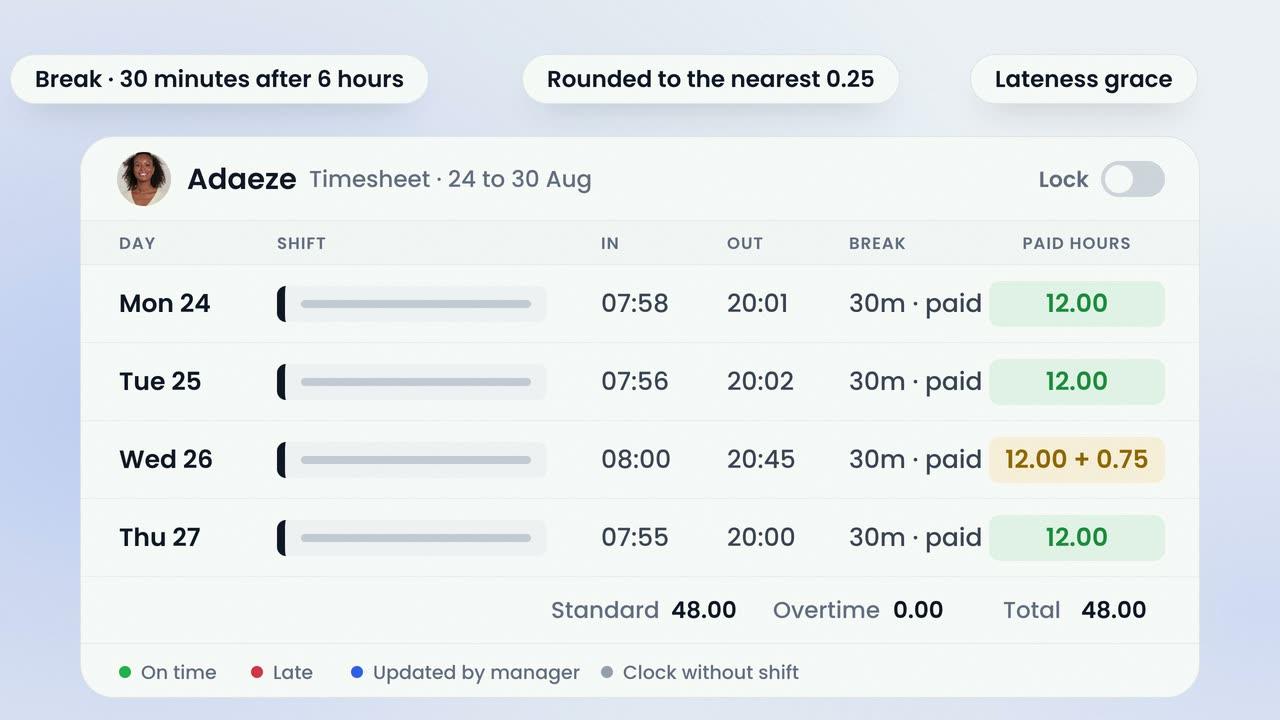
    Colour-Coded OversightGreen for on time, red for late, blue where a manager stepped in and amber for anything awaiting approval — on the rota and on the timesheet.
    Invited, Then Finished on Her Own PhoneAdd the new starter and select Onboard; she sets a password from the link and completes each step from her own phone.
    The File Is Done Before the First ShiftRight to work, DBS, references and training certificates are scanned into her record and approved one at a time.
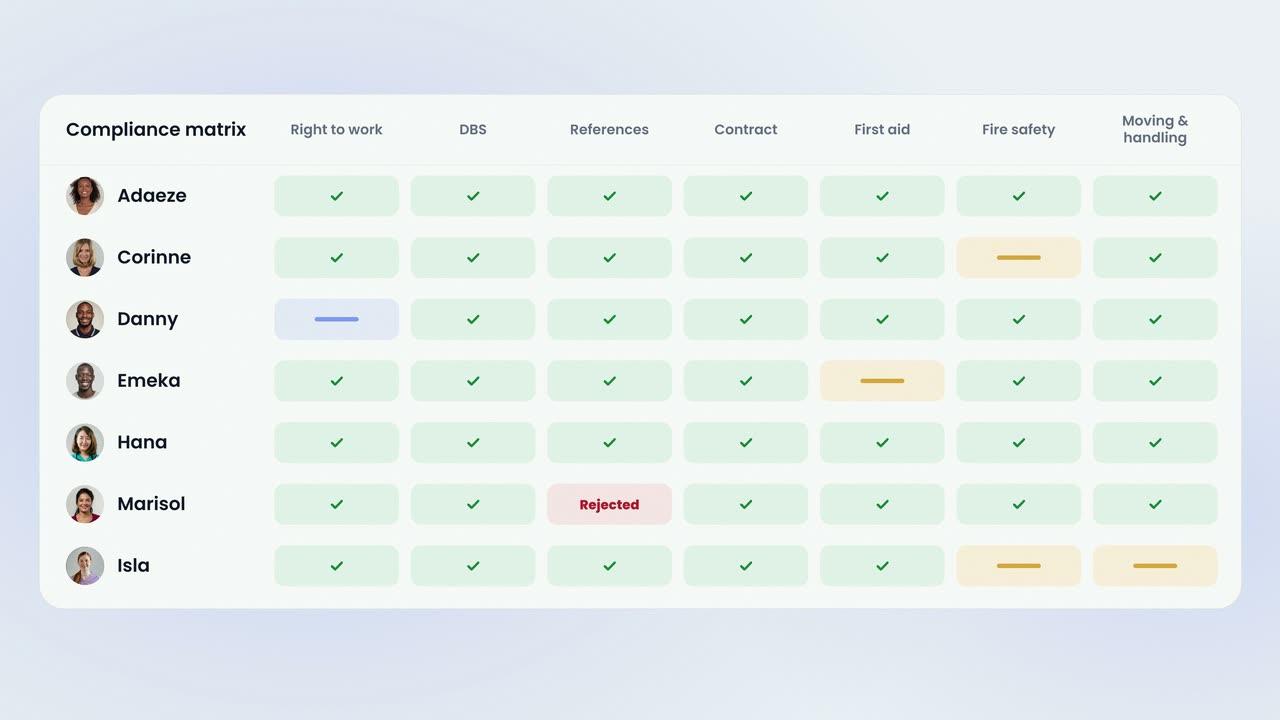
    One Screen When an Inspector AsksThe compliance matrix shows every member of staff in the home against every requirement, with what is expiring marked.
    A Matrix for Each HomeWho is complete, what is expiring soon and which company onboarding template the home runs, per home.
    Certificates With Their ExpiryFire risk, gas safety, electrical installation, PAT, LOLER and legionella, each with its expiry and a reminder before it lapses.
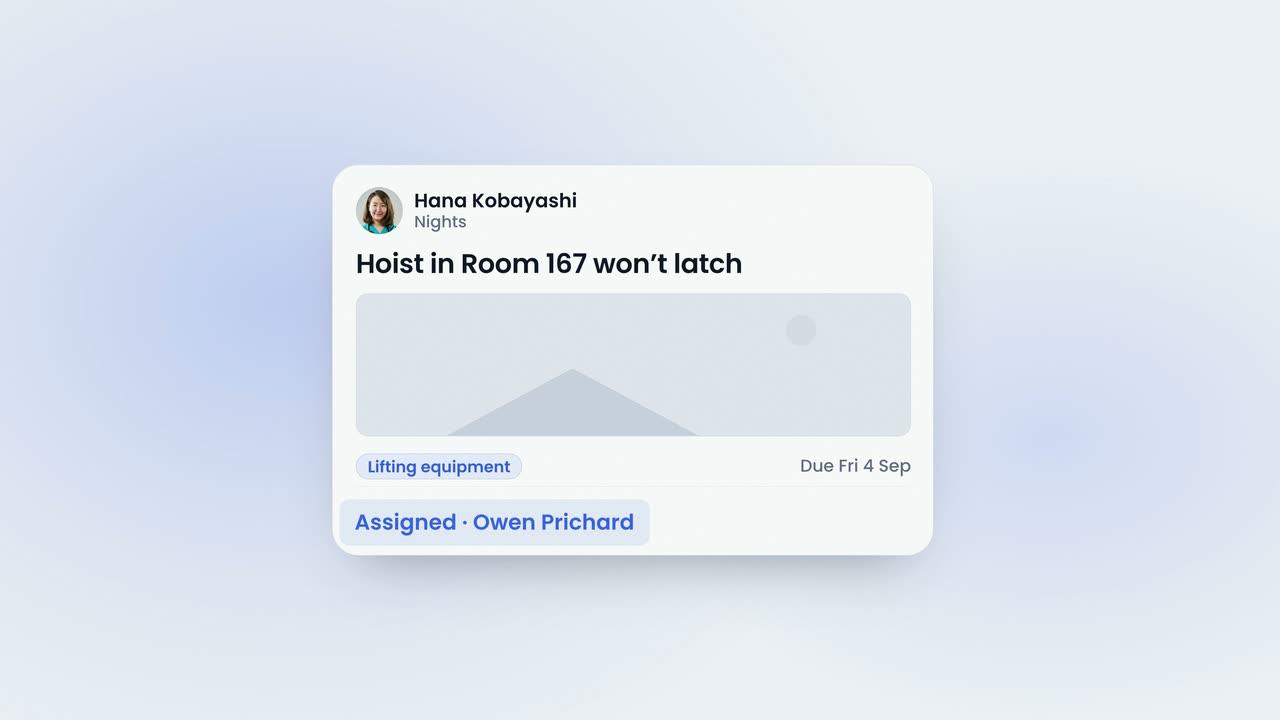
    A Hoist Reported From the FloorAny member of staff raises a maintenance request from their phone with a photograph; it is assigned, and it stays visible until a manager closes it.
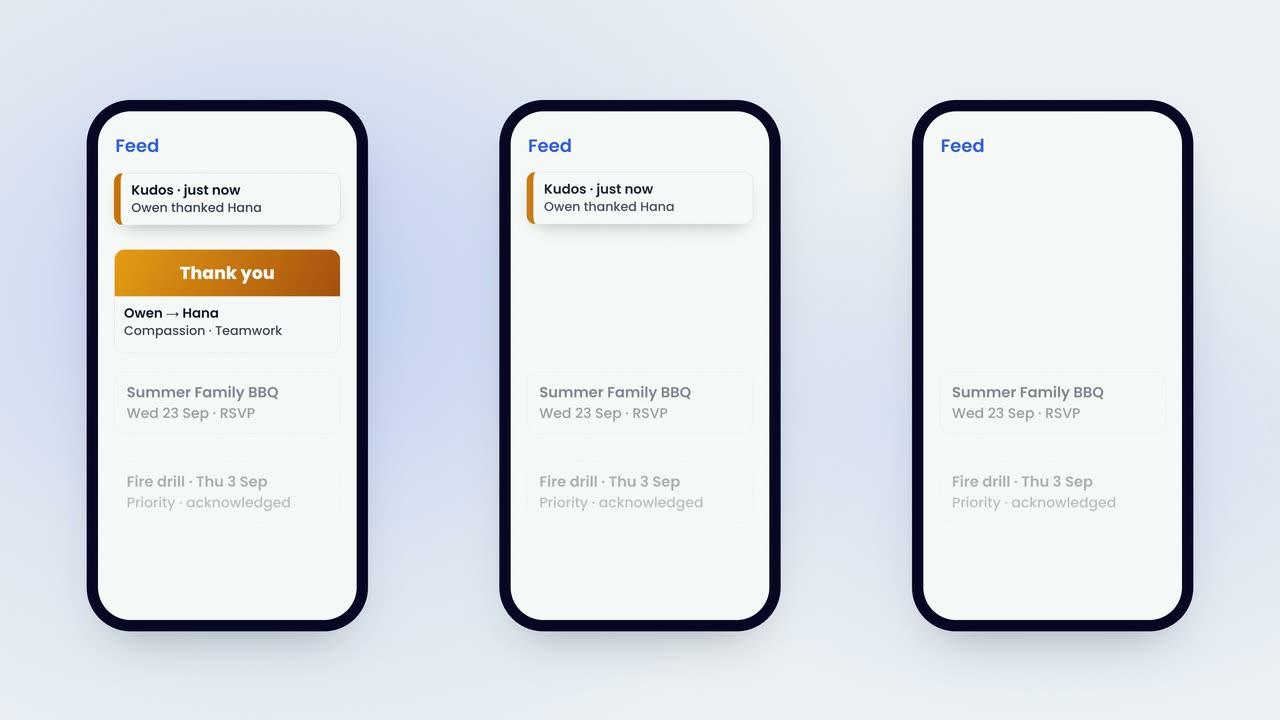
    A Thank-You the Whole Home SeesKudos is given from the phone with the values it showed, and it lands in the one feed the home already reads.
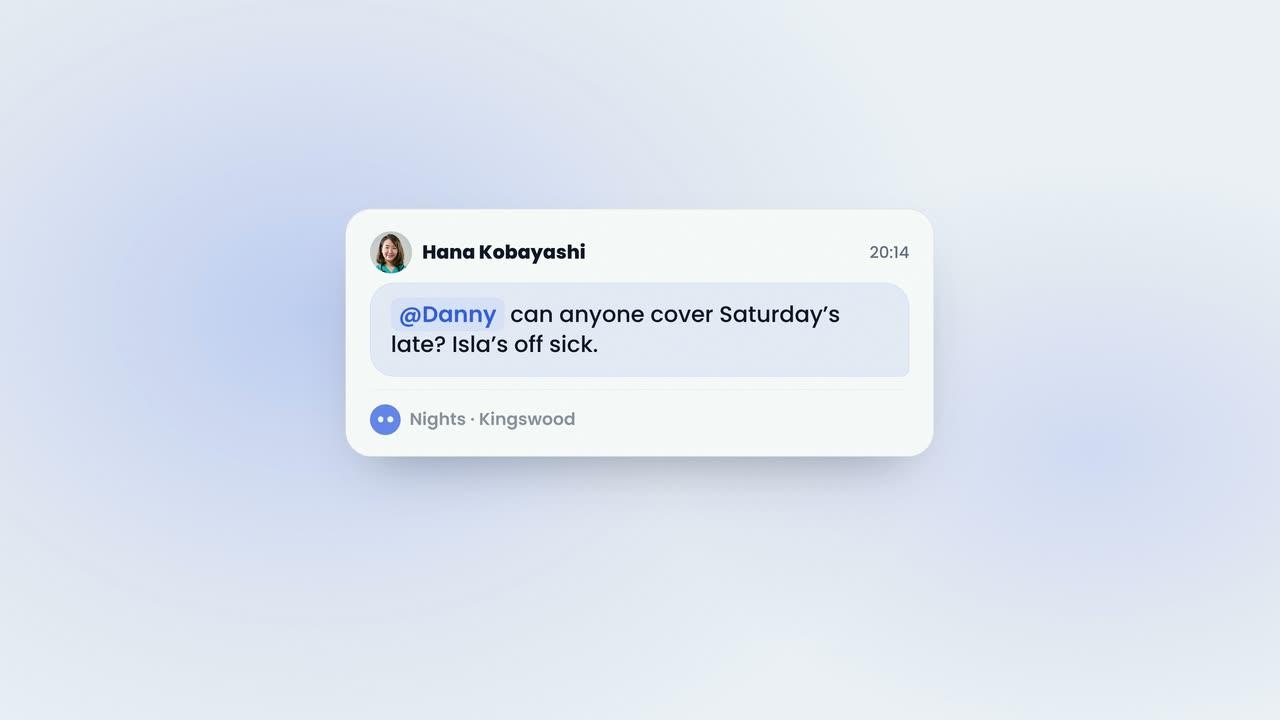
    Seen by a Count, Never by NameChat is a group for a home, a team or a shift, inside the company app, and a message carries how many people have seen it.
    Pulse Between SurveysOne short question at the clock-out terminal or in the app, reported by role, with red flags raised for managers.
    The Report, and the Line Someone OwnsSentiment is scored on every answer, closing the survey writes the report across six categories, and each concern becomes a plan line with an owner and a target date.
    03 · Every home, one login

    Head office and the home manager see the same figures.

    Budgets, extra time and leave caps are set by role for each home, so head office and the home manager work from the same numbers. One onboarding template serves the group, with a compliance matrix, tracker and reminders for each home. Staff who work across homes are on each home's rota with one login and one record, and managers switch between their homes in the same login. One bill per home, per bed, monthly rolling.

    The Same Figures in Both ChairsBecause the budgets and caps are set by role for each home, head office and the home manager plan against the same numbers rather than against two sets.
    Attendance Rules for the CompanyBreaks, rounding, the lateness grace period and no-show notifications are decided once for the company.
    And Their Values per HomeThe clock-in range, the terminals, the pay frequency and whether pay is shown in the staff app belong to the home.
    Addressed to the Company or to One HomeA post is sent to the whole company, a single home, a single team or one person, from the same feed.
    04 · We stay

    Set up, trained and supported, in the price.

    There is no setup fee. We configure your homes and your rota rules, import your staff list, and provide the onboarding template, the leave and attendance settings and sample checklists on day one, all of it editable. Managers are trained live and staff have videos and guides. After go-live there is a check-in every two weeks, and a UK team experienced in care homes on in-app chat and email, with no support tiers and no additional fee.

    Week One Is OursWe configure your homes and rota rules, bring in your staff list and provide the templates and defaults, before anybody has to log in.
    Your Staff List, From a Spreadsheet or a PhotographAI proposes which column is which, with personal details hidden before the model sees a row, and you approve the mapping before any record is created.
    Templates Ready on Day OneThe onboarding template, the leave and attendance settings and the sample checklists are provided, and every step, field, expiry and reminder can be edited.
    And We Stay After Go-LiveA check-in every two weeks, and a UK team experienced in care homes on in-app chat and email, with no support tiers and no additional fee.
    See pricing

    The film · 2:30

    One Monday.

    A short film following one Monday at Willowbridge Kingswood from a single login: the standard set once for the group, the rota and its budget, a leave request approved, the day shift clocking in, a new starter's file, the compliance matrix, a hoist reported from the floor, the certificates, a thank-you and the night team's chat, the pulse question at clock-out, and head office at six o'clock. Captions are on the film.

    85%
    reduction in shift gapswithin six weeks
    2x
    increase in staff sentimentpositive mood scores
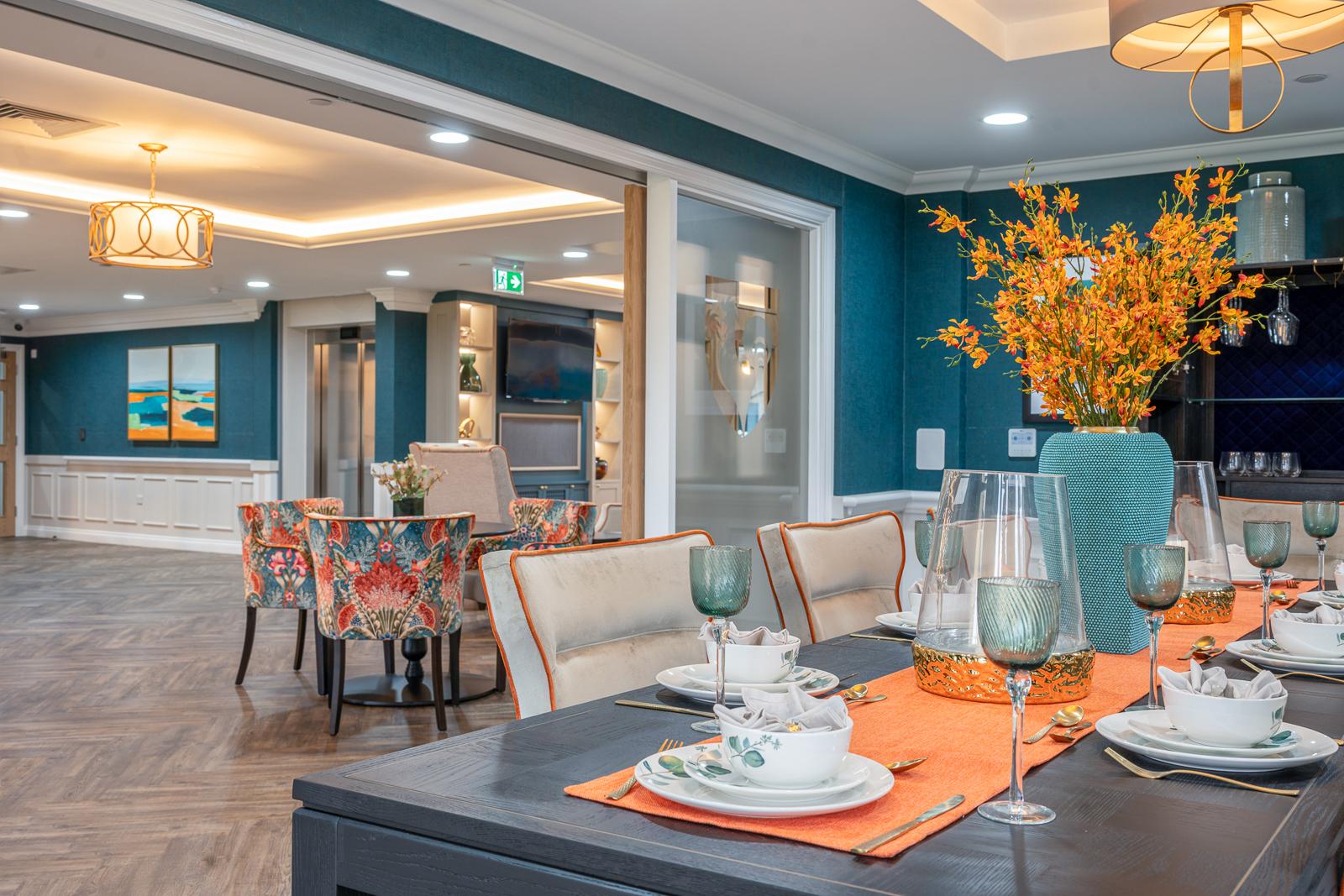
    The dining room at Esmere Gardens

    Moreton-in-Marsh, Gloucestershire70 residentsResidential, nursing and respite

    • Rota & budgetsPlan each week by care role for the right skill mix on every shift, against an hours budget the rota can be restricted to; staff claim open shifts in the app.
    • Time & attendanceStaff clock in at a shared tablet or from a phone within the home's set radius, and every clock-in feeds the timesheet, with the same status colours as the rota.
    • PayrollAdditional hours are held for approval and breaks and rounding are applied by rule; lock the pay period and export payroll data in your pay pattern, ready for Moneysoft.
    • Leave managementStaff request leave from their phones, and a single approval updates the rota, the timesheet and payroll, with balances, accrual and per-role caps.
    • HR records & onboardingA standard onboarding process is ready to use and can be reshaped to your own steps; new starters complete it from their own phone.
    • Compliance & trainingA compliance matrix for each home, with an expiry date on every document and 30-, 60- or 90-day alerts at the lead time you set; training certificates, right to work and DBS are tracked in the same place, and policies carry versioned acknowledgement.
    • Recognition & communicationKudos with monthly champions; one feed for news, polls and priority posts that everyone must acknowledge; AI help with the wording; likes, comments, a leaderboard and reports.
    • ChatGroup chat within the company app — a group for a home, a team or a shift — so work conversations are kept off personal WhatsApp.
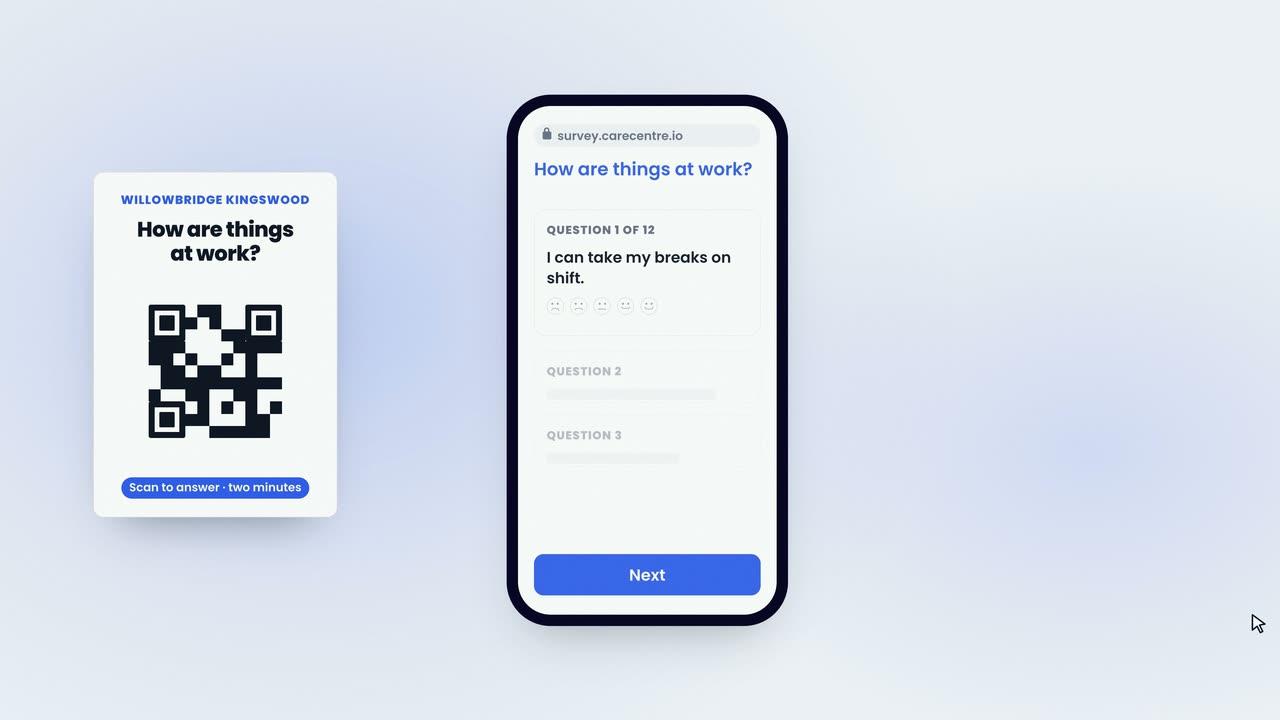
    • Surveys & pulseAnonymous staff, resident and family surveys, distributed by QR poster, with an AI report and an action plan; one pulse question can be asked at clock-out or in the app.
    • MaintenanceRequests, inspections by room and asset, quotes and invoices, and building certificates, managed in the app and the dashboard.
    • AI insideAI words the thank-you, drafts and reads your surveys, and turns a photograph of your staff list into records; your people decide, and your data never trains a model.
    • Staff app on iOS and AndroidEvery staff member has their rota, clock-in, leave, onboarding, policies, feed and chat on their phone, at no extra cost.
    • Quick to startThere is nothing to install, no hardware to buy and no setup fee; the platform runs on your staff's own phones, a standard Android tablet on the wall and the web.
    • Training includedWe configure your homes and rota rules, import your staff records and deliver live training for your managers and staff, at no cost.
    • Support includedA UK-based support team focused on the care sector, available by in-app chat and email, with no support tiers or additional fees.
    People Management Platform
    £10 per bed per month

    CareRota and CareHR together, with CareChat and CareMaintenance included, at one price per bed.

    Or a single module on its own. CareRota and CareHR are £6 per bed per month each; CareKudos, CareChat, CareSurvey and CareMaintenance are £89 a month per home. See pricing

    Last reviewed September 2026 · Based on publicly available documentation and pricing.

    What is included in the People Management Platform?

    Rota and budgets, time and attendance, timesheets and payroll, leave, HR records and onboarding, compliance and training, policies, recognition and communication, chat, staff, resident and family surveys with pulse, and maintenance. It is CareRota and CareHR together, with CareChat and CareMaintenance included, and every staff member has the app on iOS and Android at no extra cost.

    How is the platform priced?

    £10 per bed per month, so a 60-bed home employing 80 staff is charged for 60. There is no setup fee, contracts are monthly rolling with 30 days’ notice, and there is a trial before you commit. Taken separately, CareRota and CareHR are £6 per bed per month each, and CareKudos, CareChat, CareSurvey and CareMaintenance are £89 a month per home.

    Can each home have its own settings, or is everything set centrally?

    Both. Settings are made once for the company and tuned per home on the Location tab: role levels and how many of each role can be off at once, day settings, pay rates per role and wage visibility, the clock-in radius and the terminals, and claim, swap and drop rules with their notice periods. Budgets, extra time and leave caps are set by role for each home, so head office and the home manager see the same figures.

    Is it really one login for everything?

    Yes. Rota, clock-in, timesheets, leave, onboarding and compliance, policies, recognition, chat, surveys and maintenance sit on one staff record, in one staff app, from one manager login. Staff who work across homes are on each home’s rota with one login and one record, and managers switch between their homes in the same login. No work email is needed, and a leaver’s login ends on their end date.

    What do we need to buy or install?

    Nothing. Managers use the web dashboard, staff use their own phones on iOS and Android, and the clock-in terminal is any Android tablet on the wall. There is no proprietary hardware, no fobs and no on-site server.

    How do we get started, and who trains our team?

    We configure your homes and your rota rules and import your staff list, which can come from a spreadsheet or a photograph of a printout — AI proposes the column mapping with personal details hidden first, and you approve it. The onboarding template, the leave and attendance settings and sample checklists are provided on day one and can all be edited. Managers are trained live and staff have videos and guides, at no cost.

    What support do we get after go-live?

    A check-in every two weeks, and a UK team experienced in care homes on in-app chat and email. There are no support tiers and no additional fees.

    Can we buy one module on its own instead of the whole platform?

    Yes. CareRota and CareHR are £6 per bed per month each, and CareKudos, CareChat, CareSurvey and CareMaintenance are £89 a month per home with every staff member included. The platform at £10 per bed per month is CareRota and CareHR together with CareChat and CareMaintenance.

    Your standards, in every home.

    Book a demonstration to see the platform working with your own homes, your own roles and your own standards.

    See pricing